Introduction:
Patch Panel: you’re staring at a tangle of Ethernet cables behind your desk, wondering how professional networks stay so organized. The secret lies in understanding two crucial pieces of hardware that often confuse newcomers – patch panels and network switches. While they might look similar at first glance, these devices serve completely different purposes in your network infrastructure.
Whether you’re setting up a home office or managing a data center, knowing the differences between a patch panel and a switch can save you hours of troubleshooting and thousands in unnecessary equipment costs. Let’s dive into this essential networking knowledge that’ll transform how you think about structured cabling systems.
What Is a Patch Panel? Your Network’s Organization Champion
Think of a patch panel as the ultimate cable management superhero. It’s essentially a passive networking device that doesn’t process data but serves as a central hub where all your Ethernet cables meet and mingle.
How Patch Panels Work in Real Networks
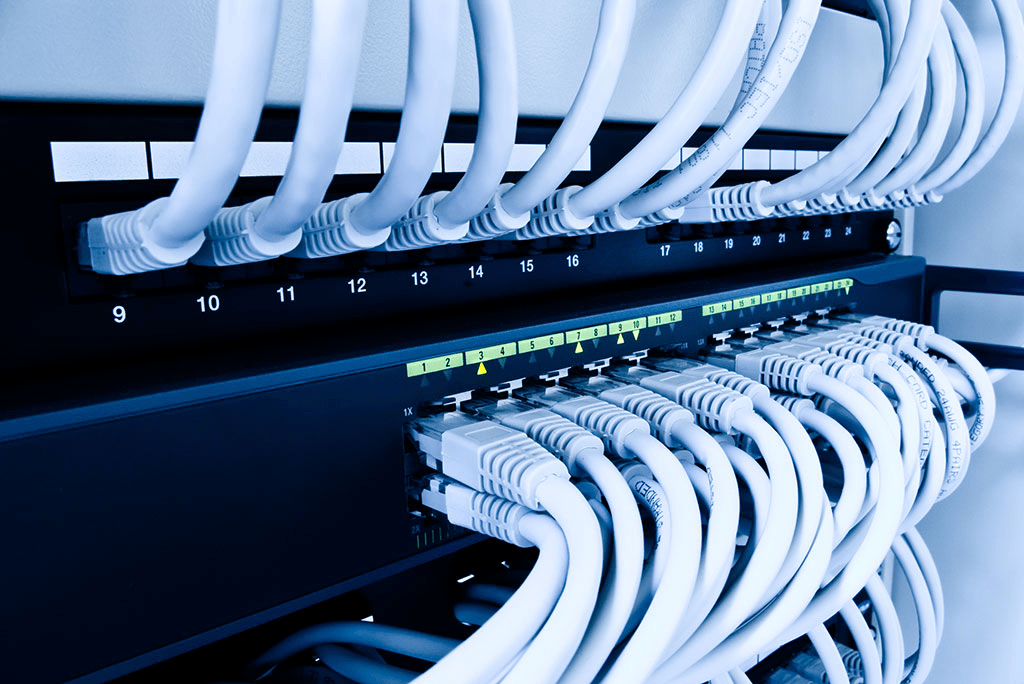
An Ethernet patch panel acts like an old-school telephone switchboard operator – it creates organized connection points without making any decisions about where data should go. You’ll typically find these mounted in server racks, looking like a rectangular frame packed with RJ45 ports.
Here’s what makes patch panels incredibly valuable:
- Cable organization: No more spaghetti networks behind your equipment
- Easy maintenance: Swap connections without rewiring entire runs
- Protection: Shield permanent cable installations from wear and tear
- Scalability: Add or remove connections as your network grows
Most businesses use 24-port or 48-port patch panels because they strike the perfect balance between capacity and rack space efficiency. However, you can find smaller 12-port versions for home networks or massive 96-port monsters for enterprise data center cabling.
The Anatomy of Patch Panel Installation
Patch panel installation involves connecting permanent cables (usually running through walls) to the back of the panel using punch-down connections. The front ports then accept standard Ethernet patch cables that connect to your switches, routers, or directly to devices.
This setup creates what network professionals call a “permanent link” on the back and a “channel” on the front – giving you incredible flexibility without compromising signal integrity.
What Does a Network Switch Do? Your Data Traffic Controller
Now let’s talk about network switch functionality. If a patch panel is your organization’s system, a switch is your traffic cop – actively managing and directing data packets throughout your network.
How a Switch Works in Networking
A network switch operates as a layer 2 network device, meaning it works with MAC addresses to forward data between connected devices. Unlike the old hub-based networks that broadcast everything to everyone, modern switches create dedicated communication channels between devices.
Here’s the magic: when Device A wants to talk to Device B, the switch creates a direct virtual connection between them. This switching process happens millions of times per second, creating what feels like simultaneous conversations across your entire local area network.
Switch Port Configuration and Intelligence
Modern switches don’t just pass data blindly. They learn and remember which devices connect to which ports, building what’s called a MAC address table. This intelligence allows them to:
- Forward packets only where they need to go
- Eliminate collisions by creating separate collision domains
- Support full-duplex communication (sending and receiving simultaneously)
- Provide advanced features like VLANs and Quality of Service
Key Differences Between Patch Panel and Switch
Understanding the switch vs patch panel debate requires looking at their fundamental roles in your network infrastructure.
| Feature | Patch Panel | Network Switch |
| Function | Organizes and manages cables | Routes and forwards data packets |
| Power Requirement | None (passive device) | Requires electricity |
| Data Processing | Zero | Millions of packets per second |
| Intelligence | None | Learns MAC addresses, builds forwarding tables |
| Typical Cost | $20-200 | $50-5000+ |
| Failure Impact | Physical connection only | Network communication stops |
| Maintenance | Minimal | Requires configuration and monitoring |
Passive vs Active Networking Device Explained
This distinction is crucial: patch panels are passive networking devices while switches are active. Think of it like the difference between a road (passive) and a traffic light system (active). The road provides the pathway, but the traffic lights actively manage the flow.
When to Use Patch Panel vs Network Switch
Choosing between these devices isn’t usually an either/or decision – most professional networks use both. However, understanding when each shines helps you make smarter infrastructure decisions.
Perfect Scenarios for Ethernet Patch Panels
You’ll want patch panels when:
- Managing multiple ethernet cables in server rooms or network closets
- Running permanent cable installations through walls or ceilings
- Organizing connections in high-density environments
- Protecting expensive switches from constant plugging and unplugging
- Implementing structured cabling systems that meet industry standards
For example, in a typical office building, ethernet cables run from each workstation back to a central network closet. Instead of connecting these directly to switches (which would be a nightmare to manage), they terminate at patch panels. Short patch cables then connect the relevant panel ports to switch ports.
When Network Switches Are Essential
Switches become critical when you need to:
- Connect multiple devices in a local area network
- Improve network efficiency by eliminating broadcast domains
- Implement VLANs for network segmentation
- Provide Power over Ethernet (PoE) for devices like IP cameras
- Create high-speed backbone connections between network segments
Switch vs Patch Panel for Home Network Setups

Home networking introduces unique considerations. Most residential setups can get away with just a switch, especially if you’re only connecting a few devices in one room.
Simple Home Network Scenario
If you’re connecting a desktop computer, gaming console, smart TV, and NAS device all located near your router, a simple 5-port gigabit switch handles everything perfectly. No patch panel needed – just plug everything in with standard ethernet cables.
Advanced Home Network with Structured Cabling
However, if you’re running ethernet cables throughout your house – say, to bedrooms, home office, and entertainment center – a patch panel becomes invaluable. Run all cables back to a central location, terminate them on a 12-port patch panel, then use short patch cables to connect to your switch as needed.
This approach offers tremendous flexibility. Moving your internet connection from the bedroom to the office? Just swap patch cables instead of rewiring.
Network Cable Management: Best Practices and Solutions
Effective cable management solutions combine both patch panels and proper planning. Here’s how professionals organize ethernet cables and reduce cable clutter:
The Professional Approach
- Plan your cable runs before installation
- Use patch panels as termination points for permanent cables
- Label everything – seriously, everything
- Implement cable management accessories like cable rings and horizontal managers
- Leave service loops for future maintenance
- Document your connections with patch panel connection diagrams
Color Coding and Labeling Systems
Smart network administrators use color-coded patch cables to indicate different purposes:
- Blue cables: regular data connections
- Yellow cables: special circuits or guest networks
- Red cables: critical infrastructure or security systems
- Green cables: Voice over IP (VoIP) phones
Patch Panel and Switch Setup: Integration Strategies
The real magic happens when you combine patch panels and switches effectively. This integration creates what’s called structured cabling systems – the backbone of modern network infrastructure.
Typical Integration Architecture
In most professional installations, you’ll see this hierarchy:
- Permanent cables run from work areas to the network closet
- Cables terminate on patch panels using punch-down connections
- Patch cables connect panel ports to switch ports
- Switches forward traffic between connected devices
- Uplink connections carry traffic to routers and the internet
This design separates your physical layer (patch panels managing connections) from your logical layer (switches making forwarding decisions).
Advanced Features and Considerations
Modern installations often incorporate additional elements:
- Network management tools for monitoring switch performance
- Redundant connections for critical applications
- PoE injectors or PoE switches for powering devices
- Fiber optic connections for high-speed backbone links
Troubleshooting Common Issues
Understanding patch panel wiring and switch behavior helps diagnose network problems quickly.
Patch Panel Problems
Most patch panel issues stem from:
- Poor terminations causing intermittent connections
- Cable damage from improper handling
- Incorrect wiring standards (T568A vs T568B)
- Unlabeled connections making troubleshooting impossible
Switch-Related Issues
Common switch problems include:
- Port failures requiring replacement or configuration changes
- MAC address table overflow in poorly designed networks
- Broadcast storms causing network slowdowns
- Configuration errors blocking legitimate traffic
Future-Proofing Your Network Infrastructure
Technology keeps evolving, but the fundamental differences between patch panel and switch remain constant. However, new developments affect both:
Emerging Trends
- Cat 6A and Cat 8 cabling supporting higher speeds
- PoE++ standards delivering more power to devices
- Managed switches with cloud-based configuration
- Fiber-to-the-desk replacing copper in high-performance environments
Planning for these trends means choosing patch panels that support your target cable category and switches with upgrade paths for future features.
Frequently Asked Questions
Do I need both a patch panel and switch?
For simple home networks with just a few devices, you can get away with just a switch. However, any installation with cables running through walls or multiple rooms benefits tremendously from patch panels. They’re not required together, but they work beautifully as a team in professional installations.
What’s the main difference between patch panel vs network switch functionality?
The core difference is active vs passive operation. Patch panels simply organize and connect cables without processing data, while network switches actively forward packets between devices based on MAC addresses. Think organizational tool vs intelligent traffic manager.
Can I connect devices directly to a patch panel?
No, patch panels don’t forward data between ports. They’re purely organizational tools. You need a switch, router, or other active networking device to create communication between connected devices.
How do I choose between a managed and unmanaged switch?
Unmanaged switches work plug-and-play but offer no configuration options. Managed switches provide features like VLANs, port mirroring, and traffic prioritization but require setup knowledge. For home networks, unmanaged usually suffices. Business environments typically benefit from managed switches.
What cable category should I use with patch panels?
Match your patch panel to your intended cable category. Cat 6 patch panels work great for gigabit networks, while Cat 6A supports 10-gigabit speeds. Don’t forget – your entire cable run (permanent cable + patch cables) needs to meet the same standard for certified performance.
Conclusion:
Choosing between patch panel vs switch ultimately depends on your specific networking needs, budget, and growth plans. Small setups might thrive with just a quality switch, while complex installations demand the organizational benefits of patch panels.
Remember, these devices often work together rather than compete. The best network infrastructures combine both – using patch panels to manage network cables professionally and switches to connect devices efficiently within a LAN. This combination creates the backbone of local area network systems that scale beautifully and remain manageable for years to come.
Whether you’re planning a simple home office or designing an enterprise data center cabling system, understanding these fundamental differences empowers you to make informed decisions that’ll serve your network well into the future.